Live on the Shopify App Store

Pre-sell what's coming. Recover what sold out.

Restokly turns inventory gaps into revenue. Collect pre-order deposits before stock arrives, and notify shoppers the moment sold-out items are back.

Pre-orders that pay for themselves

Capture revenue before stock lands. Restokly handles deposits, balances, and delay emails so you can keep selling through inventory gaps.
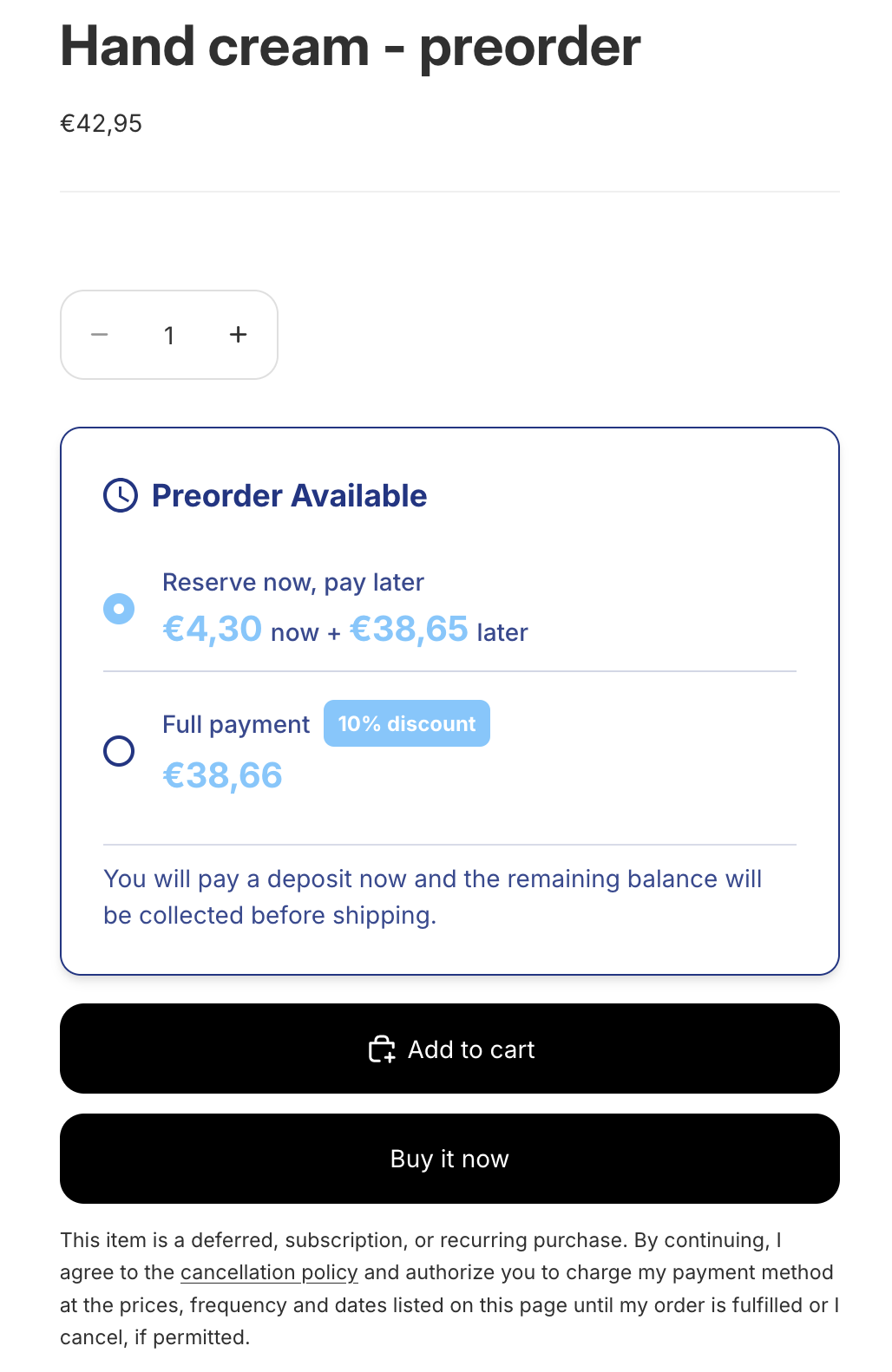
Pre-order options on a Shopify product page with Reserve now and Full payment choices
💳

Deposits or full payment

Let shoppers reserve with a deposit (percentage or fixed) or pay in full with an optional discount. Balances are auto-charged on the date you set.

📦

Sell beyond inventory, safely

Set a per-product cap on pre-orders so you never oversell. The button auto-disables when the cap is hit.

🔔

Automatic delay notifications

If your ship date slips, customers are automatically emailed, required by Shopify and built in from day one.

👤

Customer self-service

Buyers can view and cancel their own pre-orders from their customer account, no support tickets, no friction.
Back-in-stock alerts that actually convert

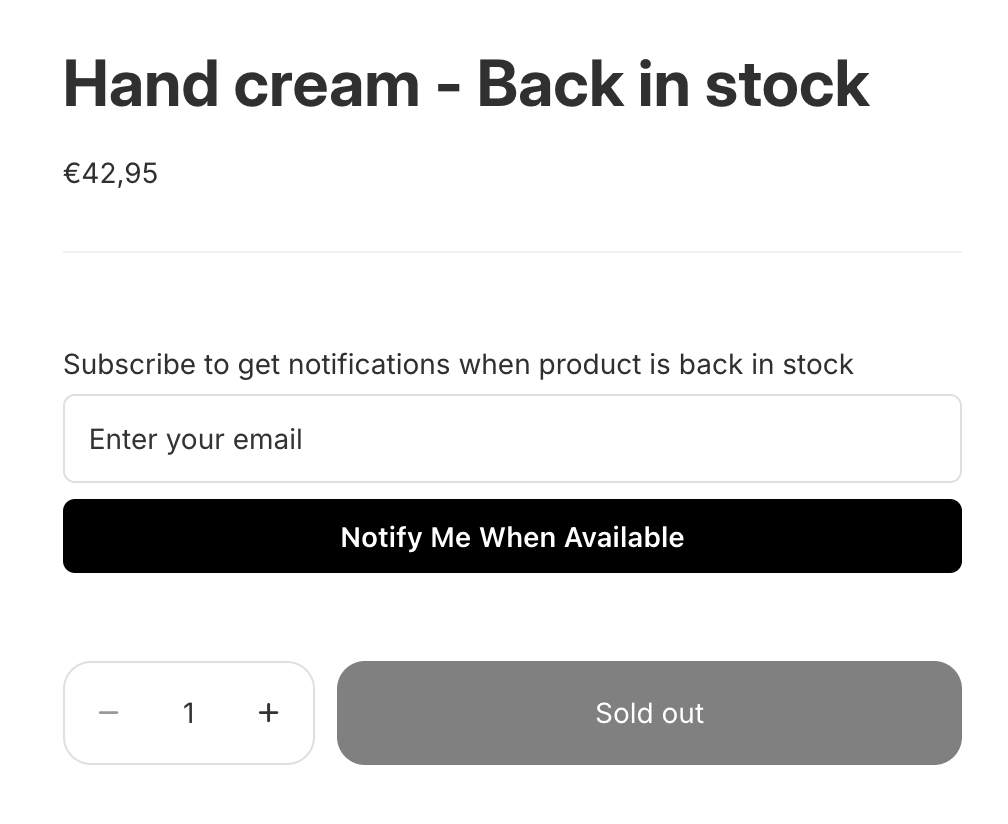
Stop losing customers to empty shelves. Capture waitlists on every out-of-stock variant and send branded emails the second inventory returns.

Notify Me When Available form on a sold-out Shopify product
📧

Instant email alerts

Detect restocks via Shopify webhooks and email subscribers automatically, on a first-in-first-out basis.

🎚️

Smart throttling

Cap notifications at 2× available inventory (configurable) so a small restock never triggers an angry rush.

🌐

Custom sender domain

Verify your own domain via DNS and send notifications from your brand, not ours.

🎨

Visual email editor

Block-based template editor with product image, title, and CTA. No code, no developer needed.

📊

Demand dashboard

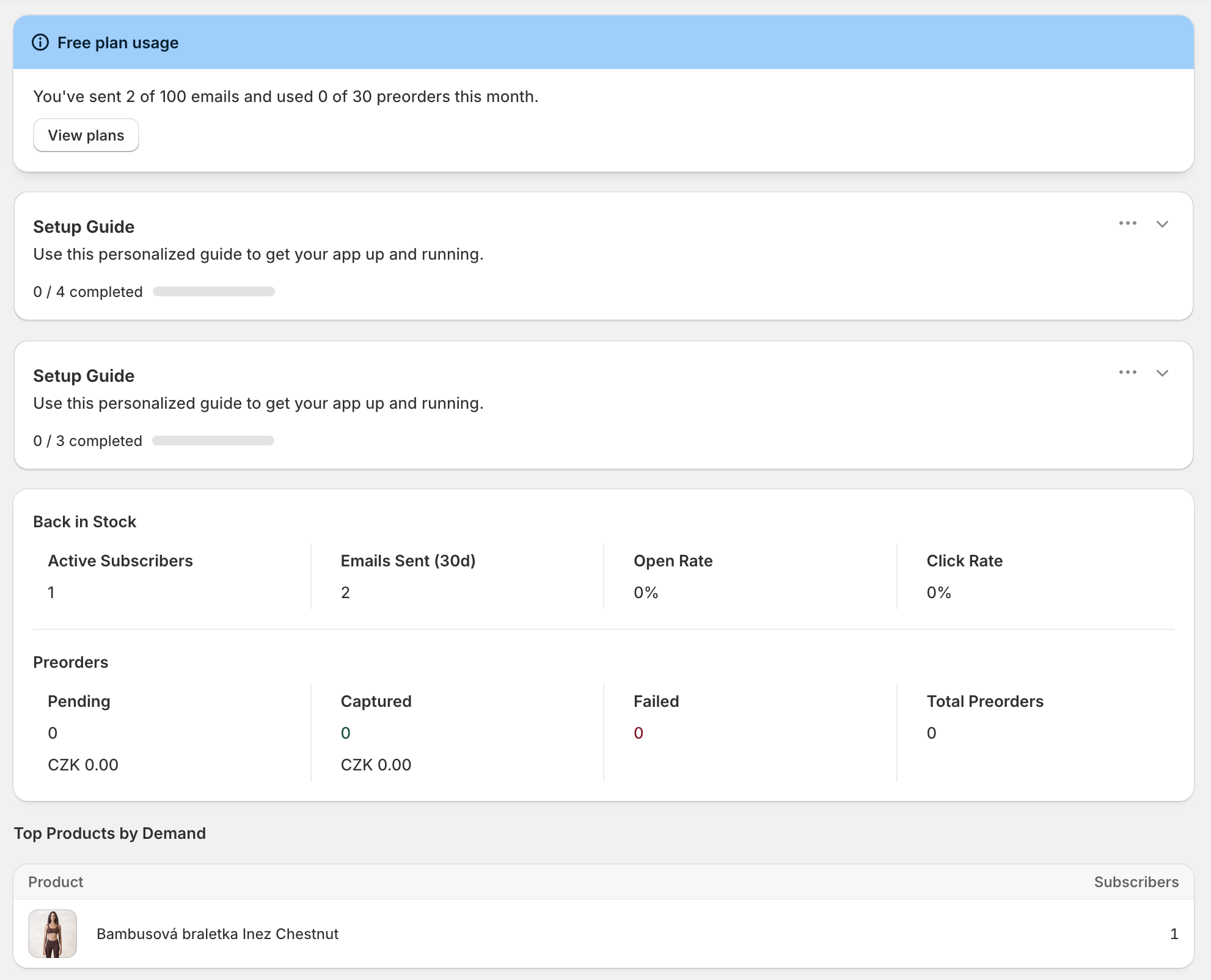
See subscribers, open rate, click rate, and top products by demand — all at a glance.

🌍

Multi-language

Per-market email templates on Growth and Pro. Serve customers in the language they shop in.

Live in under 2 minutes

No code. No developer. No complicated setup.

1

Install the app

One click from the Shopify App Store. The theme widget installs itself.

2

Configure

Enable pre-orders on the products you choose. The Notify Me button shows automatically on sold-out variants.

3

Customers buy or subscribe

Shoppers either pre-order with a deposit or sign up to be notified when stock returns.

4

Restokly handles the rest

Auto-charge balances, email customers when items are back, and email about delays if ship dates slip.

Set it up, then watch it work

Configure pre-orders and back-in-stock from a single Shopify-embedded admin, and track every subscriber, sale, and notification in real time.

Configure pre-order plans

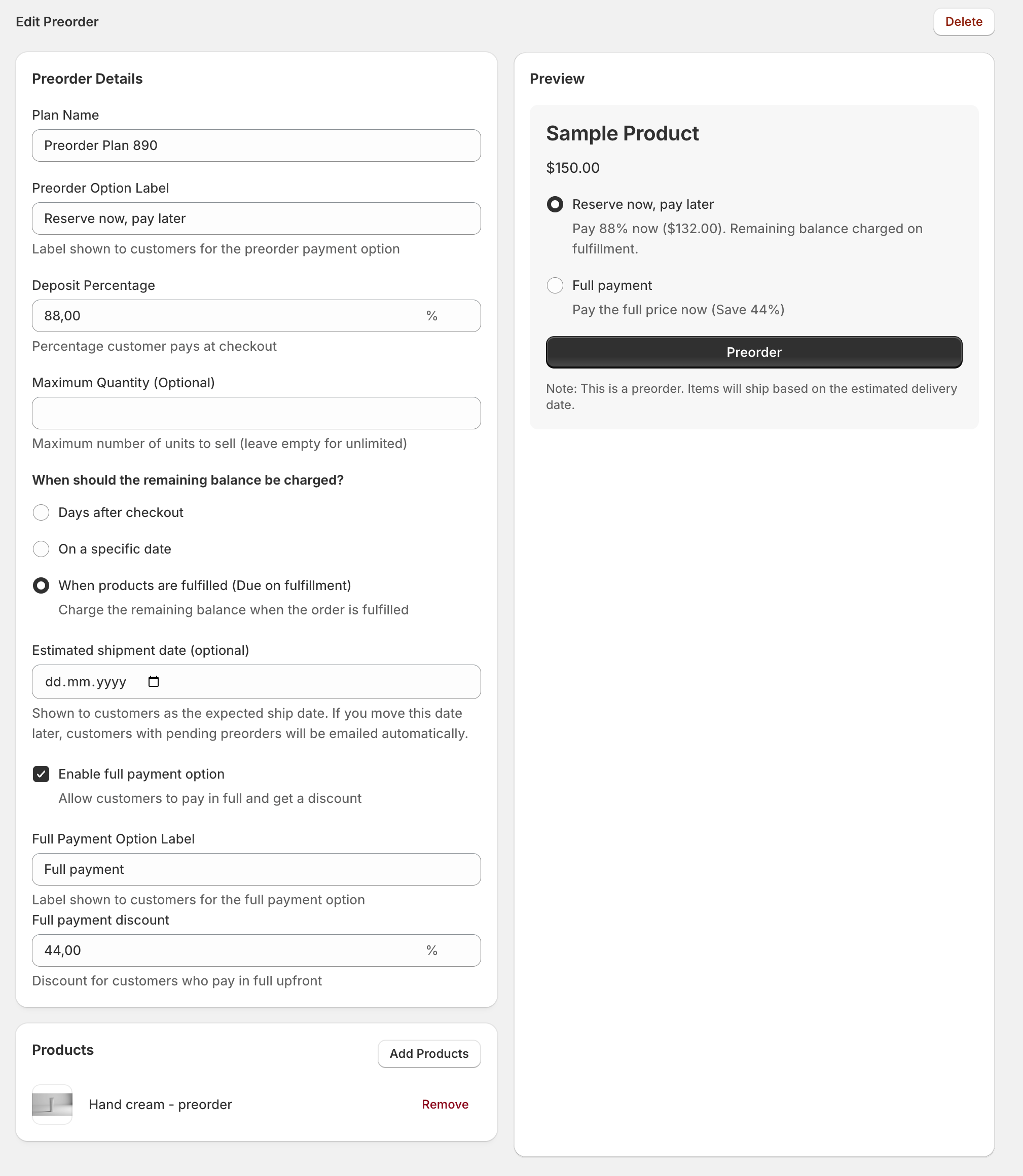
Set deposit percentages, balance due dates, ship dates, and quantity caps, with a live preview of the storefront experience.

Restokly admin screen for editing a pre-order plan, with a live storefront preview

Track demand and conversion

See subscribers, emails sent, open rate, click rate, top products by demand, and pre-order revenue at a glance.

Restokly merchant dashboard showing plan usage, back-in-stock stats, pre-order stats, and top products by demand

Simple, honest pricing

Start free. Upgrade when you grow. No surprise fees.

Free

$0/mo
For stores just getting started
  • 30 pre-orders/mo
  • 100 back-in-stock emails/mo
  • Unlimited subscribers
  • Notify Me widget + pre-order plans
  • Basic analytics
Get started free

Starter

$9/mo
For growing stores
  • 100 pre-orders/mo
  • 1,000 back-in-stock emails/mo
  • Custom sender domain
  • Visual email editor
Choose Starter

Pro

$49/mo
For high-volume stores
  • Unlimited pre-orders
  • Unlimited back-in-stock emails
  • Multi-language templates
  • Dedicated onboarding
Choose Pro

Sell more on every product, even before it arrives

Join Shopify merchants using Restokly to capture revenue from pre-orders and back-in-stock alerts.

Install Restokly. It's Free